

Interview Cheat Codes
5 tips for candidates that you've never heard before

If you’re looking for more help in interviewing than you can get in just a few quick (yet handy) tips, check out NextPath and schedule with a coach today!
We’ve talked about the strangest interview tip that always works (and to this day, I am still getting messages about how successful this is!), but you’re probably wondering what other uncommon interview tips I have up my sleeve. Note that many of these only work in remote interview settings, but given where things are at the time of writing that covers the majority of tech interviewing.
When A Calculator Would Be Really Nice…
It can be really hard to do back-of-the-napkin math without a napkin, and yet we’re often asked to do math on the spot. Early in my career when I was asked to estimate how many bytes of storage would be needed for a document of a specific type, I got super defensive and just said “I don’t know, I’d use a calculator.” He was trying to help me understand that the document could not be store in application memory, but I was paralyzed just at the concept of doing this math. I still mix up MB and KB!
One trick I recommend to interviewees, if you’re on a video call and need to do some quick math, you can just use the calculator on your computer. For apple products, the spotlight search (⌘ + space) can also be used as a calculator. Windows is a little more tricky, you’ll need the calculator app to be open, but if you have it open ahead of time you can switch to it gracefully without being obvious.

When You Suddenly Can’t Remember…
I hold my LeetCode abilities in pretty high esteem - after 8+ years of training others in the practice, I feel very comfortable with it, though I still sometimes struggle to just get started. As an engineer, I will often use multiple languages over the course of the day: Python, Javascript, SQL, YAML at the bare minimum, and sometimes whole other stacks. One time when I went into an interview that was in Python (my primary language, mind you) I froze, because I’d spent the whole day in another language, and was frankly pretty anxious. The interviewer asked what was wrong and I said as dryly as possible, “I’m not going to lie, I literally just forgot how to define a function in Python.”

Luckily he understood, chuckled, and we moved on. But I didn’t want that to happen again. And that’s where this came from:
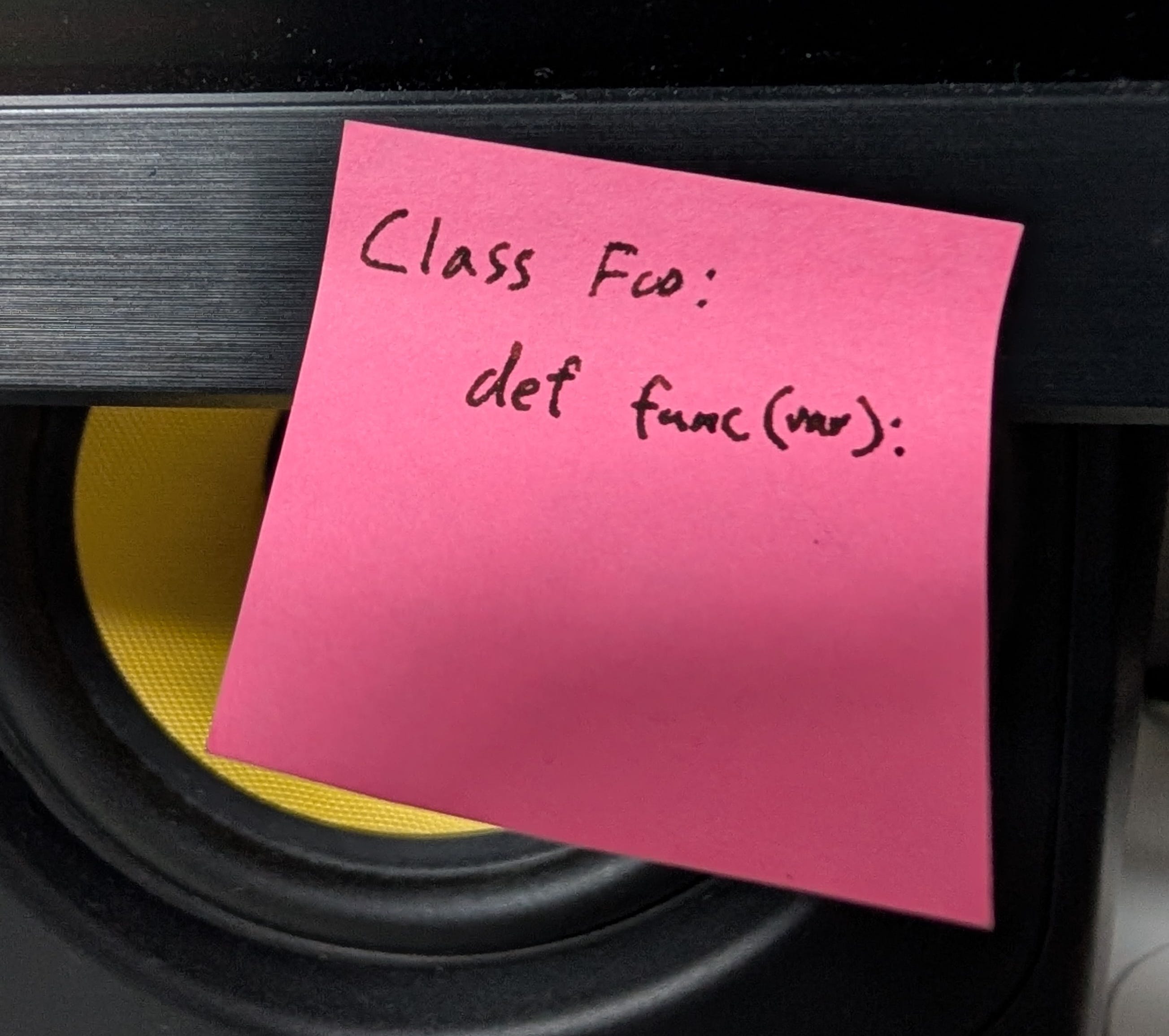
Another one I used to put on a sticky note on my screen is the easy two-boolean check for overlapping ranges. I also have been known to put conversions (see previous item re: MB/KB) and other knowledge that is typically in one’s mind, but unreachable during anxious times. This is not cheating. You do not know what problem they’re going to ask you, and having useful code snippets nearby at all times is something we expect an engineer to do. I learned this when I was asked a Bash question and had serendipitously printed a Bash cheat sheet for my desk a few days before while working on a CLI utility. It’s just like when your geography teacher forgot to take down the world map before the quiz - oh well!
When You’d Rather They Choose Their Own Adventure…
A question I often get regarding behavioral or technical deep dive lines of questioning is “What story should I tell for this question?” After hearing the options, if there isn’t an obviously superior option, I typically will whittle the options down to two that highlight different features of the candidate. I will then encourage the interviewee to respond to a question in a “choose-your-own-adventure” format. For example:
Interviewer: Can you tell me about a time you led a project?
Candidate: Of course. I have a few examples, but which would you prefer to hear about - the time that I led a project where I was the sole engineer, but had to interface with numerous cross-functional stakeholders, or the project where I played a big role in architecting and defining the project, but had other engineers helping with the implementation?
Other examples are balancing project size and recency, user-facing versus more technical features, etc. The benefit to this approach is not only in making sure you give the signal they’re looking for, but you show them that you have a wealth of great experience. After all, when you crush the retelling of the story they pick, they’ll be left thinking “Wow, they crushed that AND they have at least one other example they could also crush.”
When You Talk Too Much (Or Too Little)…
I talked about this in an earlier post but it bears repeating. You have to keep your interview conversational, or you’re not talking to your interviewer, you’re just talking at them. If you’re discussing a deeply technical, or otherwise dry topic, the longer you speak, the harder it is for the interviewer to digest. I think of it like eating - you can only fit so much food in your mouth before you need a second to chew and swallow. If you keep talking and talking you’re effectively just shoving more and more food in their mouth without giving them a chance to chew.
One “magic number” I usually place on how long you can speak before having to engage with the interview is 2 minutes. If you go more than 2 minutes without even just checking to see if they’re following (a simple Does that make sense?”, “I’ll pause there, do you have any questions?”, or asking if they have had similar situations etc.) it’s likely the interviewer will lose the thread.
My favorite tip for sticking to this practice is to invest in a sand timer. When I was discussing the 2-minute rule with one of my coaching cohorts, an Indigenous American member who taught me the concept of non-linear time, proposed the idea of using an hourglass to quietly provide yourself with a visual cue. As you watch the sand fall, you will be able to find a natural time to pause and engage the interviewer. Unfortunately I don’t have NextPath branded hourglasses.... yet, but I’d wager a guess that you might have a board game that already has one of these little sand timers in the box.
When You Can’t Quite Follow…
I learned this one on the other side, as an interviewer. Sometimes, in the world of video chat interviews, it can be really hard to understand and/or follow the candidate. Whether it’s a faulty connection, poor microphone, thick accent, or any other reason, I’ve found that closed captioning can help fill in the gaps. Additionally, as someone with ADHD, it can be difficult to make sure that I am directly focusing on the candidate despite being on the same device that everything else I have to do is on. To make sure I’m locked in, I always use closed captioning. It helps me stay locked on as I read the words as I’m hearing them, and if I ever want to quote something back to them I can always just scroll up.
Another huge benefit I learned for interviewers is being able to pace your speaking, and choose your words more carefully. By reading your words as you speak them, you can feel a bit more in “presenter mode”, and will avoid the “ums” and “uhs” and other vocal tics with much more ease.
Give it a try sometime - in Google Meet you just hit the letter “c” on your keyboard, and the captions appear. In Zoom there’s a few more clicks, but every platform should have some sort of captions available.
Hope you find this helpful, and if you have any tips you’d like to share, head on down to the comments!